Claude Code Hooks: Auto-Format, Guard Files and Run Checks, Step by Step
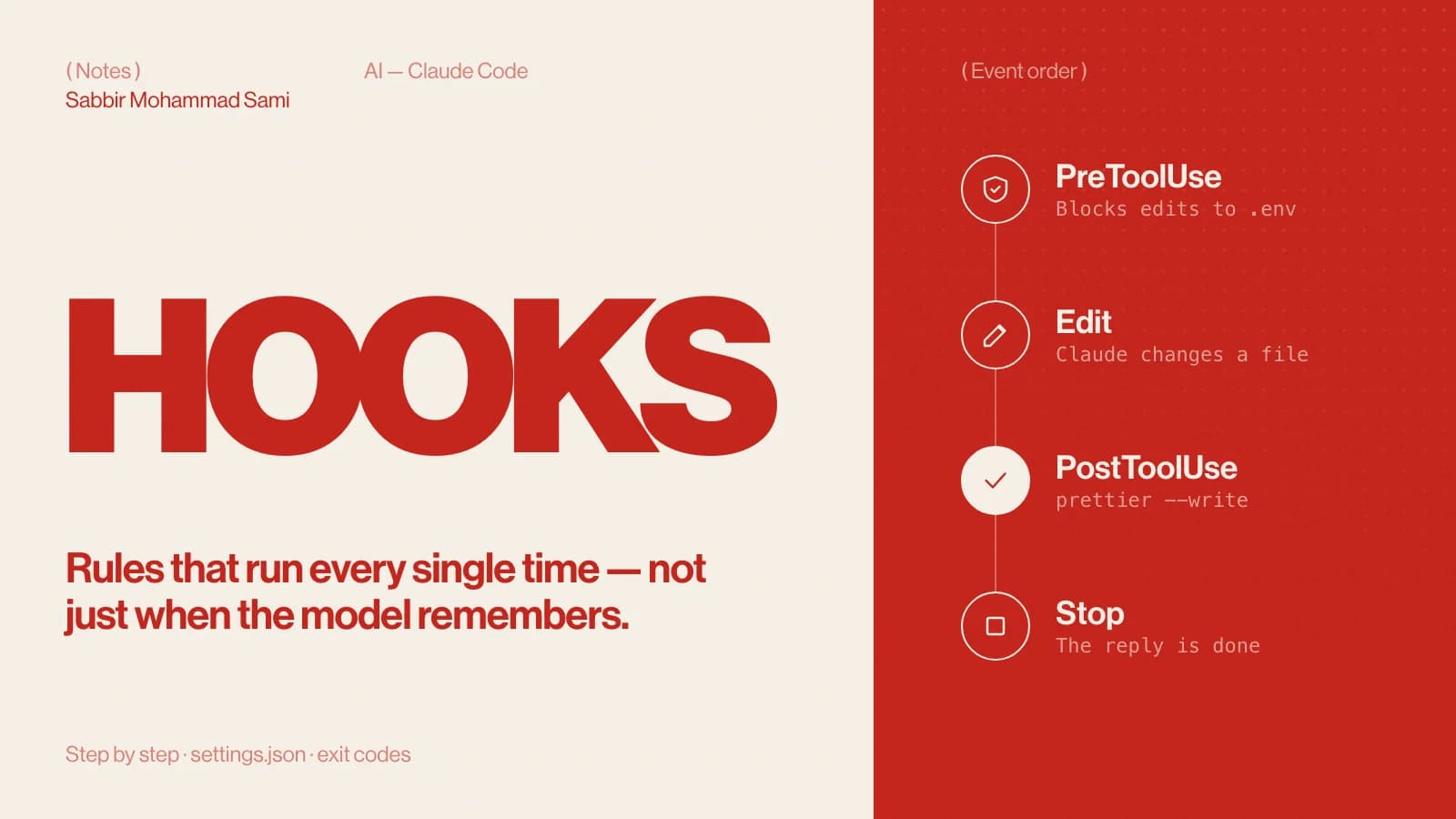
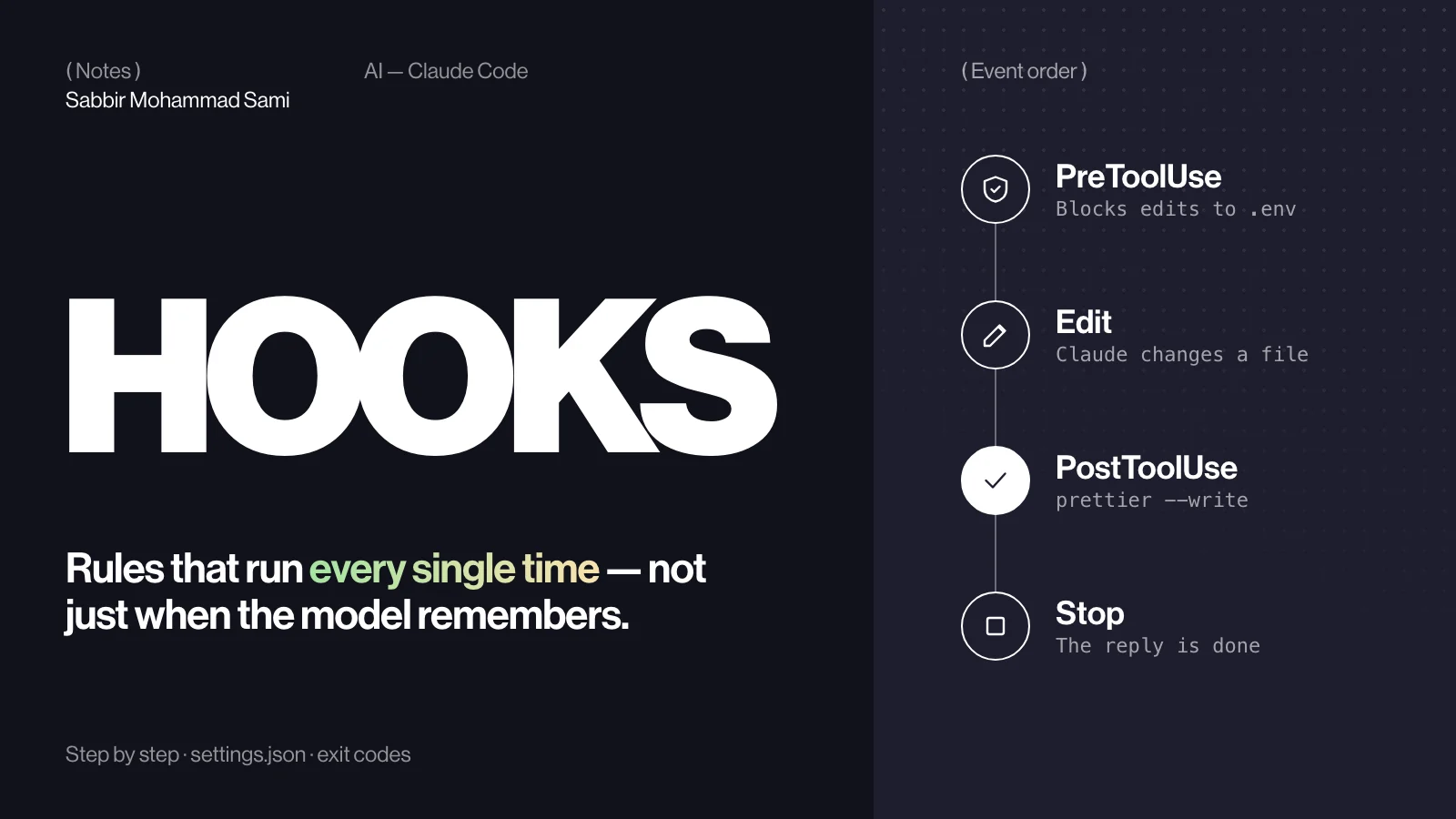
Hooks are shell commands Claude Code runs at fixed moments: before a tool runs, after a file is edited, when you send a prompt, when a session starts. Unlike an instruction in a prompt, a hook always runs. This guide sets up two you will keep — Prettier on every edited file, and a guard that blocks edits to .env files.
( Before you start )
Why hooks instead of instructions
You can write “always run Prettier” in CLAUDE.md, and Claude will usually do it. A hook makes it certain: Claude Code runs the command itself, every time, whatever the model decides. Use instructions for judgement and hooks for rules.
If you have set up Husky and lint-staged, the idea is the same. Only the trigger changes: an AI tool call instead of a Git commit.
Where hooks live
| File | Applies to | Commit it? |
|---|---|---|
~/.claude/settings.json | All your projects | No |
.claude/settings.json | This project, for everyone | Yes |
.claude/settings.local.json | This project, only you | No |
Plugins can ship hooks in hooks/hooks.json, and skills can declare their own in their frontmatter.
How a hook is shaped
{
  "hooks": {
    "PostToolUse": [
      {
        "matcher": "Write|Edit",
        "hooks": [{ "type": "command", "command": "..." }]
      }
    ]
  }
}- Event — when it runs:
PreToolUsebefore a tool call,PostToolUseafter one succeeds,UserPromptSubmitwhen you send a prompt,Stopwhen Claude finishes replying,SessionStartwhen a session begins. - matcher — which tools it applies to, by name:
Bash,Edit|Write, or a pattern such asmcp__github__.*. Leave it out to match every tool. - command — the shell command to run. It receives a JSON description of the event on standard input, and times out after ten minutes by default.
What the hook receives
Every hook gets JSON on standard input. For the file tools, the field you usually want is tool_input.file_path — always an absolute path. A trimmed example:
{
  "session_id": "abc123",
  "cwd": "/Users/you/project",
  "hook_event_name": "PostToolUse",
  "tool_name": "Edit",
  "tool_input": {
    "file_path": "/Users/you/project/app/page.tsx"
  }
}
The examples below read it with jq. Install it first if you need to: brew install jq on macOS, sudo apt install jq on Ubuntu.
( Step by step )
Format every file Claude edits
Add this to .claude/settings.json in your project:
{
  "hooks": {
    "PostToolUse": [
      {
        "matcher": "Write|Edit",
        "hooks": [
          {
            "type": "command",
            "command": "jq -r '.tool_input.file_path' | xargs npx prettier --write --ignore-unknown"
          }
        ]
      }
    ]
  }
}
After every write or edit, the hook pipes the file’s path into Prettier. --ignore-unknown skips files Prettier has no parser for, so editing a .env or an image never fails the hook. Paths that contain spaces need more care than xargs gives them.
Block edits to .env files
Add a PreToolUse entry next to it, in the same hooks object:
"PreToolUse": [
  {
    "matcher": "Write|Edit",
    "hooks": [
      {
        "type": "command",
        "command": "f=$(jq -r '.tool_input.file_path'); case \"$f\" in *.env|*.env.*) echo 'Blocked: .env files are protected' >&2; exit 2;; esac"
      }
    ]
  }
]
Exit code 2 is what blocks. Claude Code cancels the edit and hands your message on standard error back to Claude, which explains it to you and carries on. The pattern catches .env and .env.local and leaves a file such as config.envrc alone.
Exit codes in one table
| Exit code | Meaning | What happens |
|---|---|---|
0 | Success | Carry on. A single JSON object printed to standard output can return a decision. |
2 | Block | In PreToolUse the tool call is cancelled and standard error is the reason Claude sees. In PostToolUse the tool has already run, so standard error is passed to Claude. |
| Anything else | Non-blocking error | Reported as an error; the action continues. |
Test it
Test a hook by hand before trusting it. Feed the command a fake payload and check the exit code:
echo '{"tool_input":{"file_path":"/repo/.env"}}' \
  | sh -c 'f=$(jq -r ".tool_input.file_path"); case "$f" in *.env|*.env.*) echo "Blocked" >&2; exit 2;; esac'
echo $? # prints 2- Save the settings and start a new Claude Code session in the project.
- Ask Claude to add a variable to
.env— the edit should be refused with your message. - Ask it to change a component — the file should come back formatted.
( Going further )
More hooks worth having
- Run
eslint --fixon edited TypeScript files, after Prettier. - Block
git push --forcewith aPreToolUsehook onBashthat checkstool_input.command. - Send a desktop notification when Claude finishes, from a
Stophook. - Print the current branch and open issues at
SessionStart, so every session starts with context.
Hooks FAQ
- Do hooks slow Claude Code down?
- A hook runs as part of the event it is attached to, so keep it fast: format the one file that changed, not the whole project.
- Can a hook stop Claude from running a shell command?
- Yes. Use a
PreToolUsehook with aBashmatcher, readtool_input.command, and exit with code 2 to block it. - Are hooks safe to share?
- They run with your user permissions, so read every hook before you commit or install it — the same rule as for any script.
- Hook or CLAUDE.md rule?
- If it must happen every time, a hook. If it needs judgement, a rule in CLAUDE.md.
Reference: Claude Code docs — Hooks guide and Hooks reference.