AI Coding Tips That Actually Work: 12 Habits, Step by Step
AI writes better code when you work with it like a careful colleague: ask for a plan before code, give it the exact files and errors, set constraints, work in small tested steps, and review every line before you commit. These twelve habits, each with a prompt you can copy, work with any AI coding assistant.
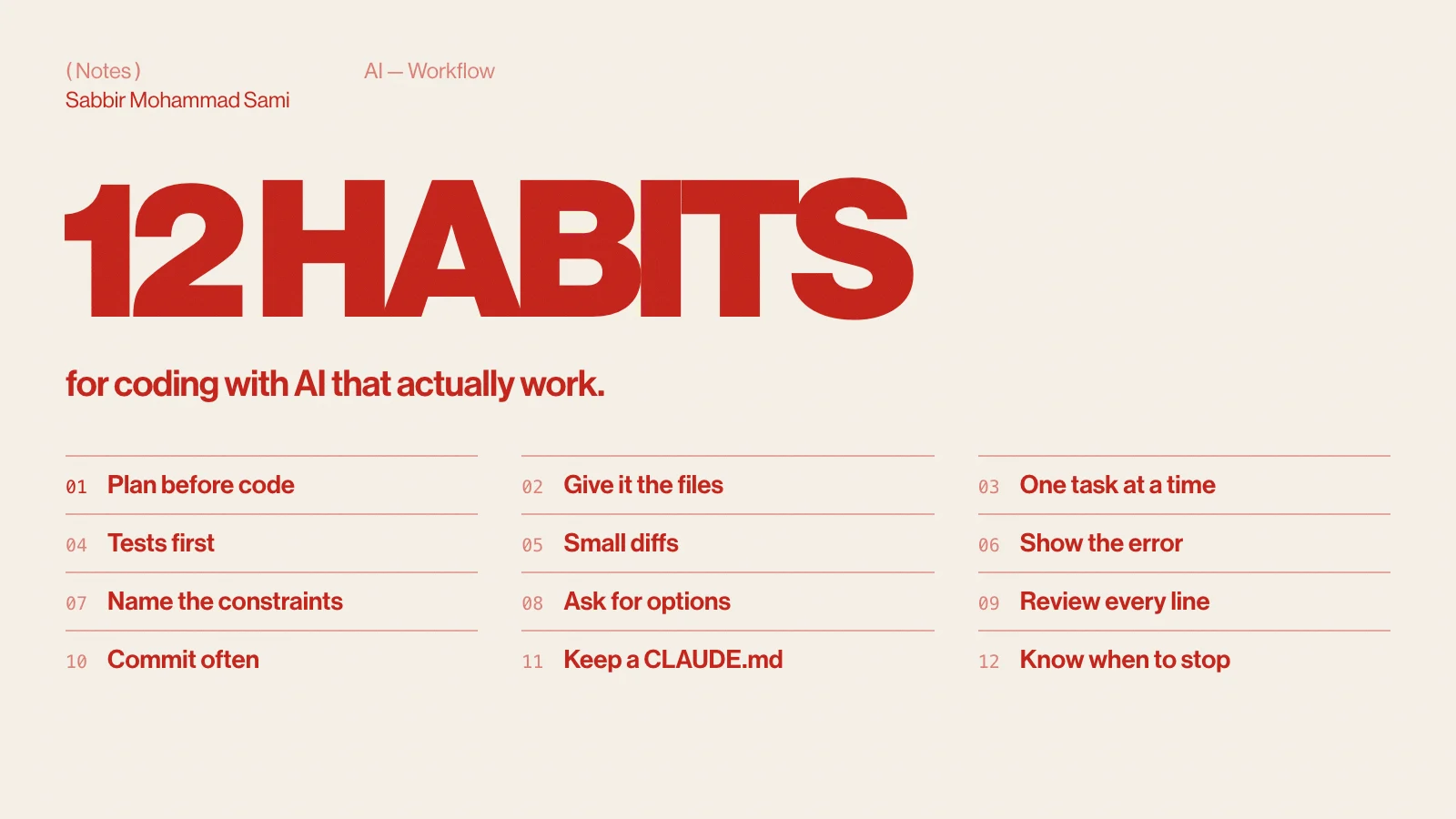
Plan before it writes code
The most expensive mistake is a confident change in the wrong direction. Ask for a plan first, read it, correct it, then let it build.
Before writing any code, read the files involved and give me a plan:
which files change, what changes in each, and any risks.
Wait for my go-ahead.Give it the files, not a guess
Name the exact files, functions and versions. “Fix the login bug” invites guessing; “app/api/login/route.ts returns 500 when the email has a plus sign” does not. In an agent such as Claude Code, point at paths and let it read them; in a chat, paste the relevant code.
One task at a time
A prompt with five requests gets five half-done changes. Finish one, check it, commit it, then start the next. Long lists belong in a plan the AI works through step by step.
Write the test first
A failing test is the clearest specification you can give. It also tells you — and the AI — when the job is actually done.
Write a failing test for this behaviour: slugify("Hello, World!") returns "hello-world".
Run it and show me it fails. Then make it pass without changing the test.Ask for small diffs
Ask for the smallest change that solves the problem, and say what must not change. Small diffs are quick to review; a 600-line rewrite hides the one line that breaks production.
Show the whole error
Paste the full stack trace, the command you ran and the versions involved — not a summary. The line that matters is usually the one you would have cut.
Running `npm run build` (Next.js 16.3, Node 24) fails with:

<full error output here>

Explain the cause before proposing a fix.Name the constraints
Say what is off-limits: no new dependencies, keep the public API, follow the existing patterns, support the old browser you still have to. Constraints you do not state are constraints the AI will break.
Ask for options before decisions
For anything structural — a library, a data model, a caching strategy — ask for two or three approaches with their trade-offs before any code. You keep the decision; the AI does the legwork.
Give me two ways to cache this API response, with the trade-offs of each
(freshness, complexity, cost). Recommend one and say why. No code yet.Review every line you ship
You own the code, whoever typed it. Read the diff as you would a teammate’s pull request, and watch for the classic AI mistakes:
- Imports of packages or functions that do not exist.
- APIs from an older version of a framework.
- Errors swallowed by an empty
catch. - Secrets, user input or SQL handled carelessly.
- Tests changed to pass instead of code fixed to pass them.
Commit often
Commit before you let an agent loose and after every step that works. A clean checkpoint turns a bad session into a one-line undo.
git switch -c ai/slugify   # a branch for the experiment
git add -A && git commit -m "test: slugify handles punctuation"
git restore . # throw away uncommitted changes that went wrongKeep a project memory
Write your stack, commands and rules down once, in a file the assistant reads at the start of every session — CLAUDE.md for Claude Code, AGENTS.md for many other agents. How to write a CLAUDE.md covers what to put in it. For rules that must hold every time, use hooks.
Know when to stop
If two attempts at a fix have failed, the conversation is now full of wrong ideas. Stop, write down what you have learned, and start a fresh session with that summary. It is faster than a third attempt in a polluted context.
Summarise what we tried, what failed and why, and what we know for sure,
as a short brief I can paste into a new session.AI coding tips FAQ
- How do I get better code from an AI assistant?
- Give it the exact files and errors, state your constraints, ask for a plan before code, and work in small steps you test and review. Context and scope matter more than clever wording.
- Should I trust AI-generated code?
- Review it like any pull request. Check imports exist, APIs match your versions, errors are handled and tests were not weakened to pass.
- Do these tips work with free tools?
- Yes. They apply to any assistant — see free AI coding tools in 2026 for what each free plan includes.